Push
One network hop, so the alert arrives instantly — and you are exactly as reliable as your tool's own retry policy. An alert nobody received is an alert nobody knows about.
Documentation
The front page is the short version. This is the long one: what each part does, what it refuses to do, and the reasoning behind both. Read it in order or jump to what you need — nothing below depends on what precedes it.
MENATER is a security operations console you install on your own machine. It takes the alerts your detection tools raise, works out which ones matter, and puts the ones that need a decision in front of a person. It is free, open source, and there is no company behind it.
It has two halves that share one screen. The alert side deals with what has already happened — an alert is a thing that occurred. The code side deals with what is about to: a flaw in your source code, before it ships. They share an interface and a login; they do not yet feed each other.
The design idea in one sentence. An AI reading a security alert is reading text an attacker wrote, so the AI is allowed to read and to propose, and a person is the only thing allowed to act.
Three programs run: a database, the console itself, and the code scanner. Nothing else is needed and nothing leaves your machine except the requests you configured — to the AI provider whose key you supplied, and to the reputation services you chose to enable.
Docker is the normal way to install MENATER, not one option among several. You need Docker and nothing else: no database to configure, no schema to apply by hand, no second machine.
# fill in the two passwords it asks for
cp .env.example .env

# database + console + code scanner
docker compose up -d --build

→ http://localhost:4400
Useful afterwards: docker compose logs -f console follows what the console is doing, docker compose down stops everything and keeps your data, and docker compose down -v erases everything including the database.
The database and the code scanner are reachable only from inside the stack. One port is published, and it serves both the interface and the API — a second entry point would mean a lock protecting half the application.
Running it without Docker? npm run dev inside dashboard/ starts the three processes with live reload. That is a development mode: it assumes you already have Node, a running database and the schema applied.
It comes up in three minutes and sorts nothing. That is deliberate: each of the four things below is a decision the console refuses to make for you. A checklist at the top of the settings page tracks all four until they are done.
| # | What you have to do | What happens if you skip it |
|---|---|---|
| 1 | Set a shared secret for the alert endpoint | The door stays closed. An empty secret closes it rather than opening it — "no authentication configured" must never read as "no authentication required". |
| 2 | Turn the endpoint on | Every alert is refused. |
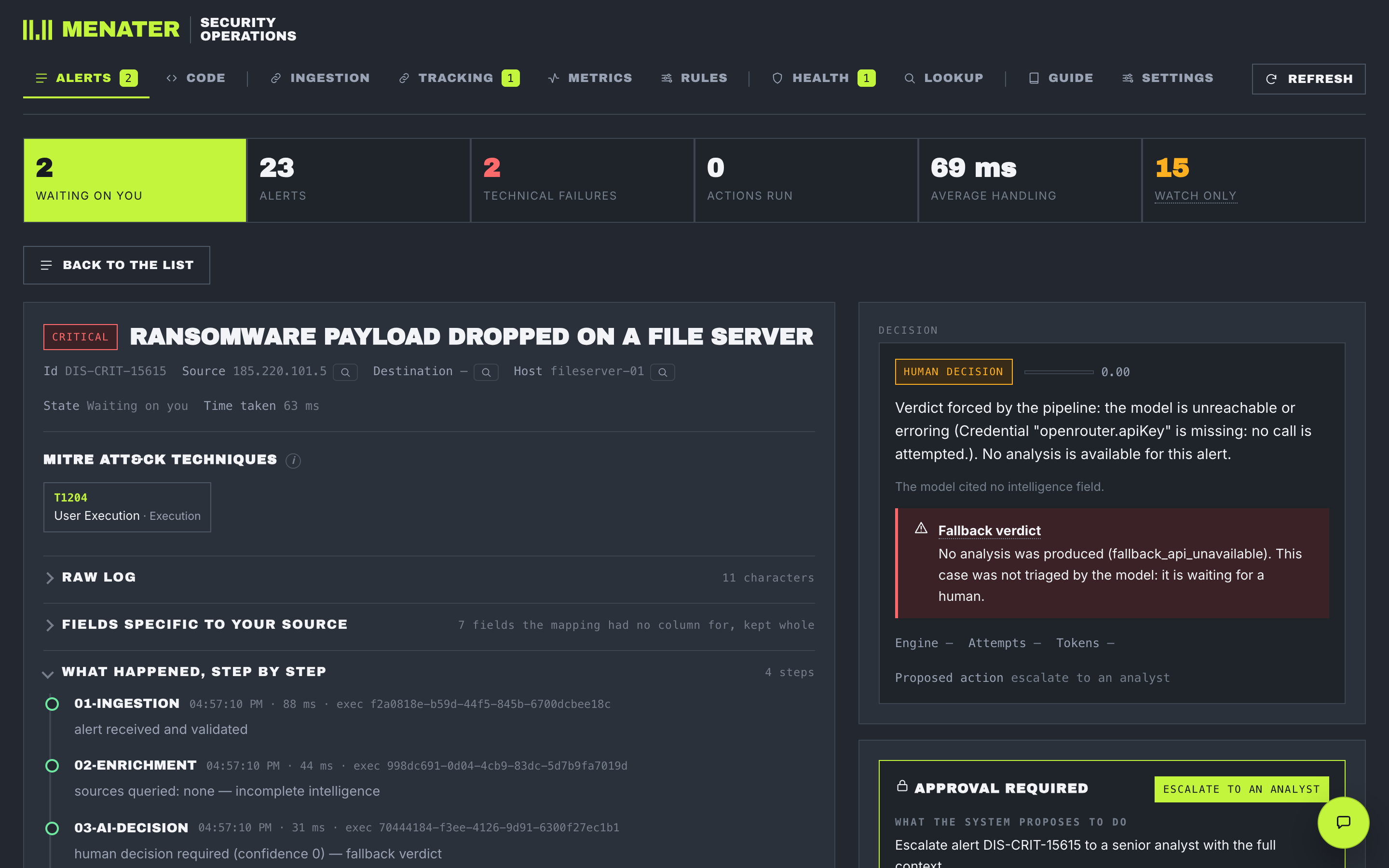
| 3 | Give it a key for an AI model | Every alert lands on a human with a confidence of zero, and says why. Nothing is lost; nothing is sorted. |
| 4 | Point a detection tool at it | No alerts arrive. |
Reputation-service keys and chat notifications are optional. A service you gave no key to is shown as Not asked — a question nobody put, which is a different thing from a question that came back empty.
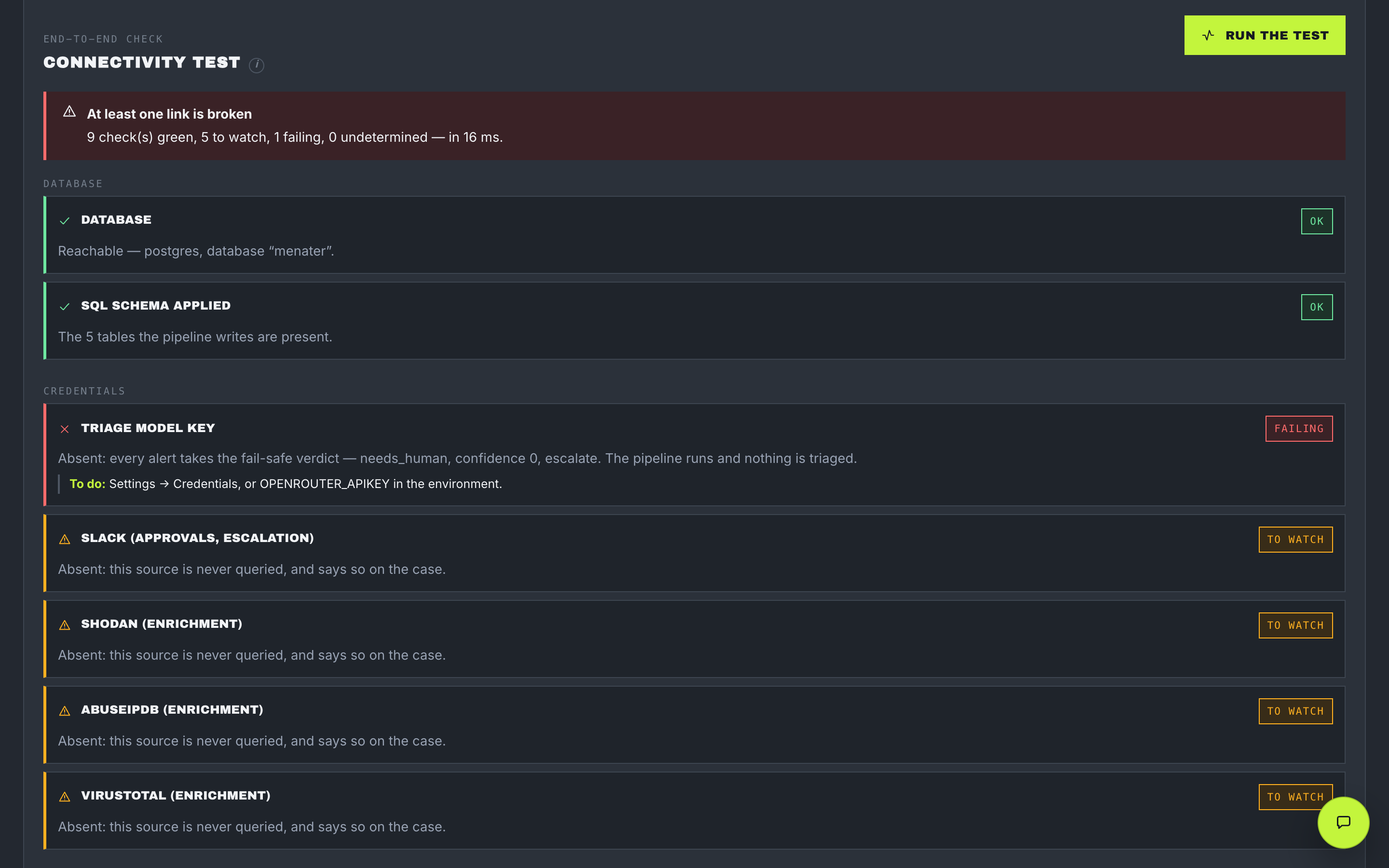
The Health tab tests every link in the chain on demand and names, for each one, the consequence and then the fix. It reports four states rather than two, so "still checking" is never announced as "broken".
MENATER runs its own engine. There is no workflow platform to install and no second product that has to be reachable for an alert to be sorted — so a workflow cannot be half-deployed, renamed in an editor, or left unpublished. The console reads its own record of what ran.
A sixth exists and never runs in sequence. The error handler is declared on the other five and called only from their failure branches. No failure is ever silent: every branch logs, notifies, or both.
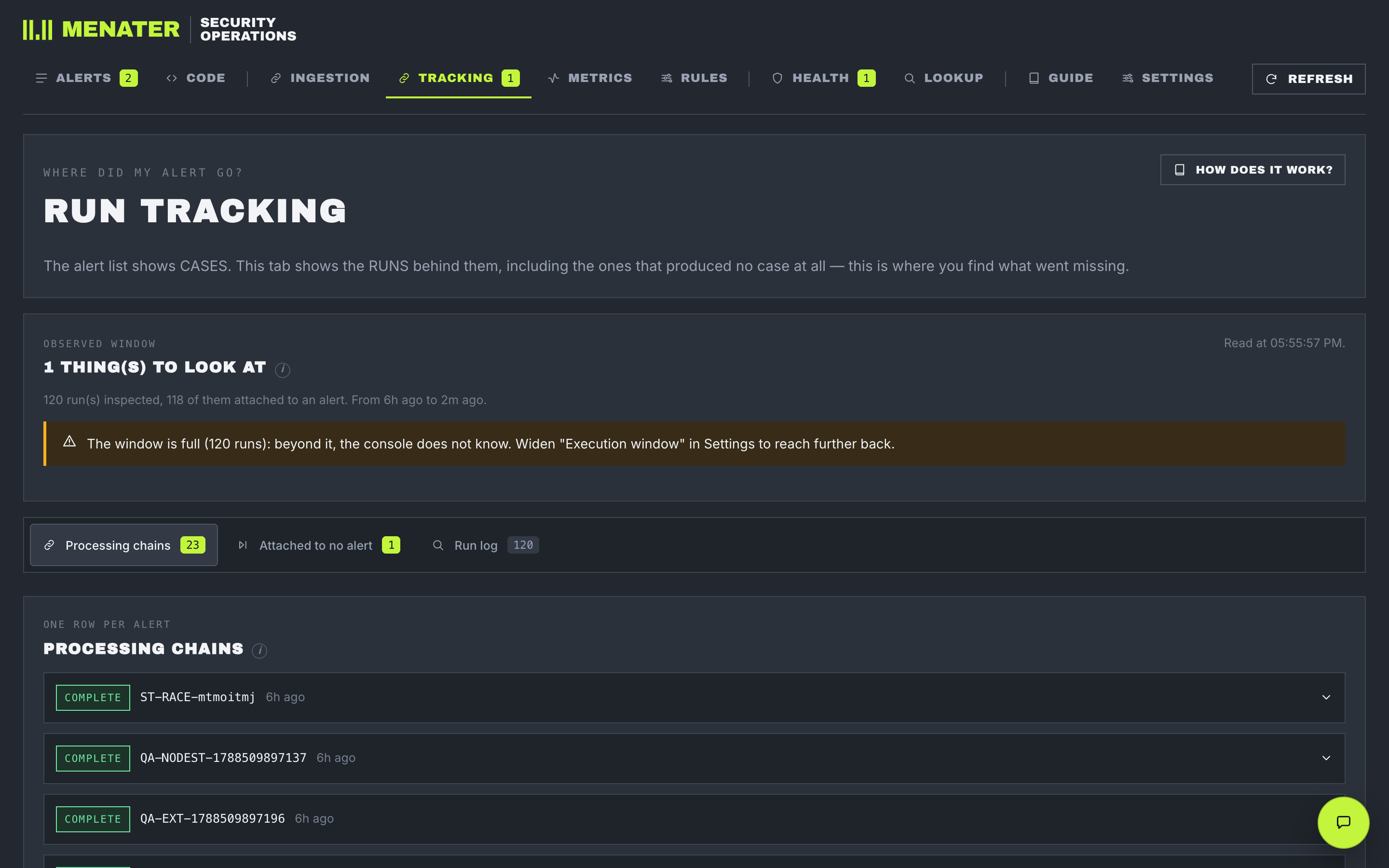
There are two ways to deliver an alert, and they fail differently. Your tool can push it to MENATER the moment it happens, or MENATER can ask your tool for new alerts on a schedule. Neither is better.
One network hop, so the alert arrives instantly — and you are exactly as reliable as your tool's own retry policy. An alert nobody received is an alert nobody knows about.
Half a polling interval of delay on average — and nothing is lost to a call that never arrived, because the bookmark is still where it was.
The default uses both, because the cost lands on different alerts. A critical alert contained four minutes late was not contained; a low-priority one sorted four minutes late is still low priority. So the urgent two levels take the instant path and the other two are polled. An alert whose priority could not be read takes the fast path — quietly parking something that might be critical is the failure this product exists to prevent.
Two tiers, and the difference between them is the difference between we cannot use this and this detection simply had no destination address.
| Tier | Fields | Rule |
|---|---|---|
| Identity | alert_id · rule_name · severity · timestamp · raw_log | Required. Missing means rejected — and the rejection names the fields. |
| Observables | source_ip · dest_ip · user · host · process · file_path · url | Optional. Absent stays absent: null, never an empty string, never invented. Most real detections carry no destination address. |
| Everything else | whatever your tool sends | Kept whole, on the case and in the audit row. Nothing your tool sends is discarded. |
The consequence to hold onto. Isolating a machine refuses to run when it has no machine to name. An action whose target is unknown is not an action.
Alerts arrive at POST /api/ingest/<source>, and the route decides how the payload is read — never the payload itself, so a sender cannot claim to be something else. The Wazuh integration maps nothing: it forwards the alert as written and the console translates.
Grouped rather than trimmed. Ten identical buttons cost a decision every time you look at them; the remedy is categories, not a second menu inside the first.
| Tab | What is on it |
|---|---|
| Alerts | The queue and the incident card. Five columns carry eight facts: how bad it is sits inside what it is, and the confidence sits inside the verdict, because 0.58 means nothing without the verdict it qualifies. Every value in an alert carries a jump into Lookup with the question already asked. |
| Code | Run a code scan and read the report. It is loaded the first time you open it and kept loaded — changing tab during a scan does not cut it. |
| Ingestion | How alerts get in: the delivery policy, the sources on each path, and the pipeline as it runs, with its editable variables. |
| Rules | Declare what is normal here — the authorised scanner, the backup window — with a dry run that answers which rule would match this alert without touching the pipeline. Eight templates ship disabled and unowned. |
| Tracking | The unreduced view: broken chains, runs attached to no alert, a searchable log, replay. Expected orphans — the diagnostic probe fires an invalid alert on purpose — are listed and never counted, or the tab would blink after every connectivity test and a permanent alarm stops being read. |
| Metrics | Two rates, never added together. See Watch-only mode. |
| Health | One button that tests every link in the chain, and nine test alerts to send through it — one per code path rather than per story: no destination, with a hash, malformed, duplicate. |
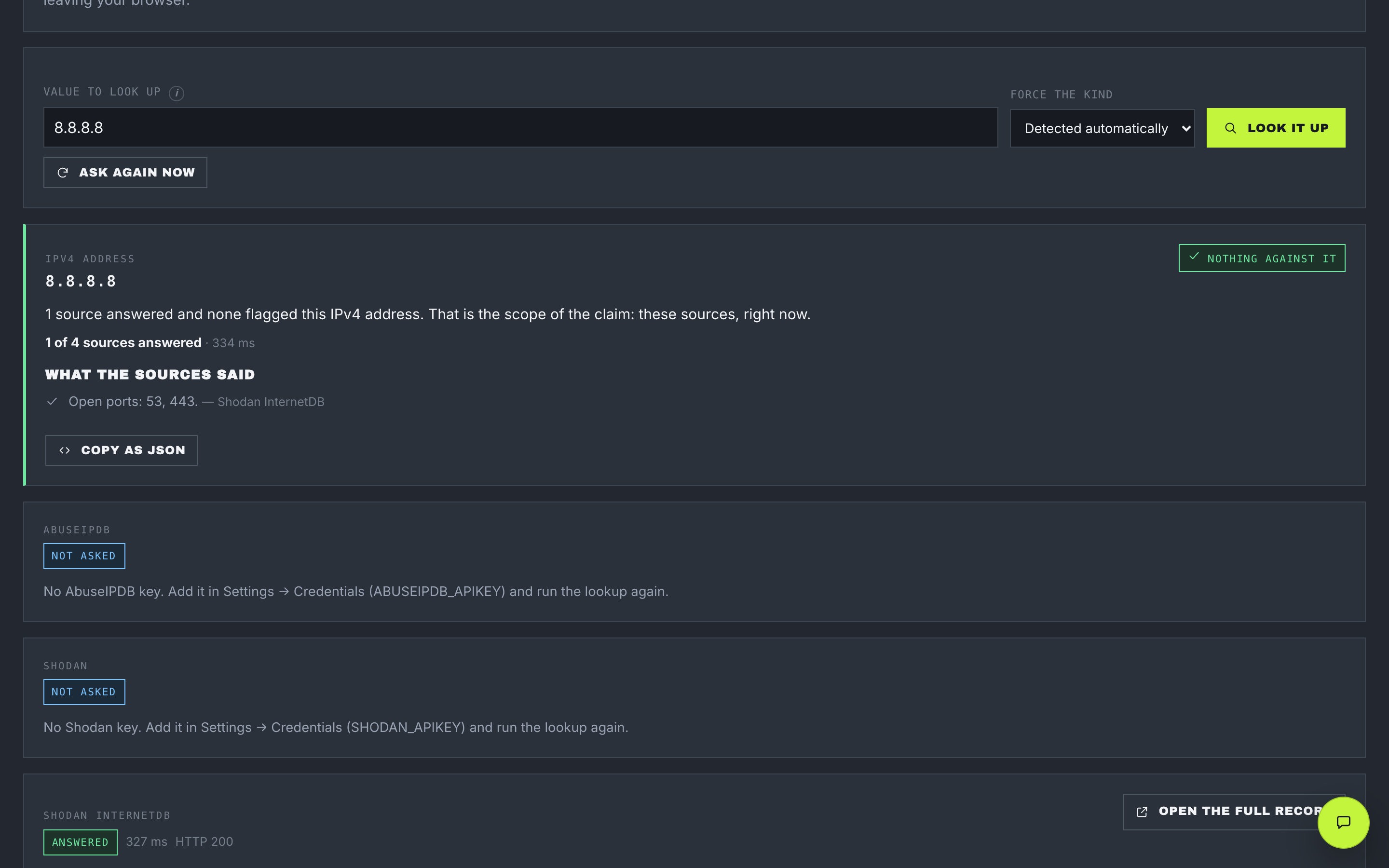
| Lookup | Ask about one value — an address, a domain, a web address, a file fingerprint, an email — plus a breached-password check whose fingerprint never leaves your browser. Obfuscated input (1.2.3[.]4, hxxp://) is an accepted format, and both forms are shown. |
| Guide | The in-console documentation, searchable — and the search reads the glossary too, so a word looked up in the wrong vocabulary still finds its section. |
| Settings | Keys, log sources, the machine-to-code inventory, the scan engines, the assistant — and the checklist naming what is still missing. |
A chat panel docked to the side of whatever screen you are on. It answers questions about this installation — explain alert 1234 simply, why is this still waiting?, what is left to configure? — and it receives the page you are on, so "this alert" needs nothing typed.
Its entire security model is that it cannot act. Its tool list is closed at seven read-only lookups: the queue, one alert, one chain, the rules, the metrics, health, and setup state. There is nothing that approves, isolates, closes, replays, edits a rule or writes a setting.
That is not caution for its own sake. Someone asking about an alert is asking about a log an attacker composed, and unrestricted model access to log content is measured at an 87 % prompt-injection success rate. Three layers answer it, in the order they actually hold:
Four AI providers are supported, one key each, chosen in settings. Nothing is kept: the conversation travels with each question and is stored nowhere. Storing threads would create a fourth copy of alert content, outside the audit record, with no retention policy. Every answer shows what it looked up — an answer you cannot check is an answer believed for the wrong reasons.
The same read-only lookups can be exposed to an AI assistant you run yourself — Claude Desktop, Claude Code, Cursor, VS Code — over the Model Context Protocol. It is off by default, and switched off or without a token it answers as though the address did not exist.
Settings has a four-step install page: turn it on, generate a token, copy the block for your client, press the test button. The address in that block comes from the address you reached the console on, not from a document — install it on a colleague's machine and the block names their host. The token is shown once, and the test runs on the server, because the browser is deliberately refused by the same guard that stops a hostile web page reaching a service on your machine.
What it exposes: 14 tools, 8 prompts, 9 resources, all read-only. The prompts matter more than they look — a client that sees ten tool names sees ten getters and no reason to use them, whereas explain this alert, how dangerous is this, why is it waiting and write me a shift handover are the questions this console exists to answer, offered rather than remembered.
The token is the whole access control. Anyone who can reach the console and holds it can read the queue, the alerts and the rules. Treat it like the console password. They can change nothing: there is no write in the list.
Six colour schemes, switchable from the header of this page too. Every one of them redefines the entire palette: inheriting three colours from another theme produces an accident that review does not catch, such as a dark grey left on a cream background.
Contrast is measured, not judged by eye. A test computes the standard contrast ratios and refuses a palette that falls below them — 4.5:1 for text on every surface, for text placed on the accent colour, and for the risk colours inside their own badges. It caught a failure red at 2.5:1, on the screen that depends on red most, and it found a long-standing grey at 2.77:1 in the original theme.
The interface works on a phone: the tab bar scrolls sideways and says so, the alert table folds into cards, touch targets are 44 px, and form fields are 16 px so iOS does not zoom when you tap one.
Four lists in this product are closed — nothing can be added to them, not even behind an approval. Each is closed for the same reason: an operator points this console at attacker-composed text all day, and an open list is one instruction away from being somebody else's.
| List | Size | What being closed prevents |
|---|---|---|
| Actions | 4 | Isolate a machine temporarily (with an expiry and an automatic undo), open a ticket, escalate, close as a false positive. No tuning rule can reach past this list either. |
| Assistant tools | 7 read-only | The chat panel can read the queue, an alert, a chain, the rules, the metrics, health and setup state, and write nothing. An injected instruction arrives at a model with nothing to obey it with. |
| Credential names | named list | Both key stores accept only names on a fixed list. An arbitrary name would turn the settings endpoint into a way to inject any environment variable into the process, PATH included. |
| Reputation services | 7 | The lookup endpoint takes a value and a kind — never a web address. A route that fetched whatever it was handed would be a request-forgery hole with a button on it. |
A fifth limit sits on the tuning rules. A team can declare what is normal here — the authorised scanner, the backup window — and the console refuses a permanent allow keyed on one identity field alone, a suppression with no expiry, and any rule with no owner or no stated reason.
A new install executes nothing. It records the decision it would have made and carries on. Leaving that mode is not a switch to flip on your first day: it waits on a number measured over real alerts that went through the real guardrails.
Two rates are measured, and they are never added together, because they answer different questions:
A measure of distribution, not of correctness. A model that called everything a false positive would score beautifully here.
The share of decisions put to a human that they rejected. This is the one that opens the gate — it is the only stand-in for correctness available without ground truth.
Two things not to compare. Two calls to the same model on the same alert return 0.88 and 0.91 — comparing them measures the model's noise, not anything about your setup. And comparing a case the pipeline did not produce — a test alert injected halfway through, a fallback verdict written when no key was configured — yields disagreements that are not disagreements, and blocks the gate for nothing.
The default is safe by failing. Missing configuration cannot enable execution, and only the exact word false turns watch-only off. An approval that times out executes nothing — silence is never consent.
Every decision writes one row to a table that can be added to and never edited. Each row is sealed to the one before it, so removing or altering a row anywhere in the chain shows up the next time the chain is verified. It is the product's only tamper evidence.
A verifier that cries wolf is one an auditor stops believing — which would hide a real deletion in the noise. So a false alarm here costs more than no alarm at all.
That is not theoretical. A stress pass found the verifier reporting broken links on 22 perfectly healthy rows out of 3 195. The cause: the row number was handed out before the lock that orders the sealing, so under load two transactions could seal in one order while carrying numbers in the other. The chain was an intact list that was simply no longer in number order, and the verifier walks by number. Fixed by moving the number inside the lock; re-verified across ~500 rows written 40 ways at once, with zero breaks.
Rows sealed before that fix keep their broken links. The table is append-only and immutable by design, which is the right trade: they cannot be rewritten, and the verifier goes on naming them honestly.
Run against a plain docker compose up — database, console, code scanner, nothing else. This is a quality pass on one machine, not a published benchmark; what matters is that it is reproducible and that the conditions are stated.
That pass found eight defects and they were fixed. Three are worth naming, because each is a failure that looked like a success:
Stated here for the same reason the console states it: a page that lists only what works is a green that was never earned.
The front page avoids these on purpose. They appear on this page and inside the console, so they are defined once, here.